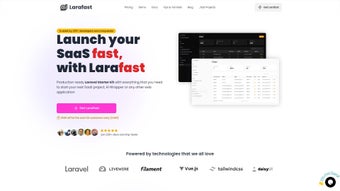

Download LaraFast – Laravel SaaS Boilerplate for Rapid Development
Overview
LaraFast is a purpose‑built Laravel boilerplate that accelerates the creation of SaaS products from concept to launch. Designed for entrepreneurs, developers, and agencies, it bundles the most common building blocks of a modern subscription service into a single, ready‑to‑use codebase. The package ships with a fully functional admin panel, a robust blog engine, SEO utilities, and out‑of‑the‑box payment integrations with Stripe and LemonSqueezy.
By leveraging the latest Laravel ecosystem tools—Jetstream for authentication, Tailwind CSS for styling, Inertia.js to bridge server‑side routing with client‑side interactivity, and Vue.js for reactive UI components—LaraFast eliminates repetitive coding tasks that typically slow down SaaS development. Whether you are launching a niche analytics platform, a multi‑tenant CRM, or a content‑driven subscription service, LaraFast provides a solid foundation that lets you focus on product differentiation rather than plumbing. The boilerplate is open‑source, regularly updated, and includes comprehensive documentation that guides you through every step of the setup process.
In addition, LaraFast follows security best practices such as CSRF protection, rate limiting, and encrypted password storage, ensuring that the applications built on top of it inherit a strong security posture from day one. The community around LaraFast is active, contributing plugins, UI themes, and tutorial videos that further shorten the learning curve. In short, LaraFast is more than a starter kit; it is a development accelerator that transforms a Laravel‑savvy team into a fast‑moving product machine, reducing time‑to‑market by weeks and providing a secure, scalable baseline for future growth.
Core Features and Capabilities
- Complete Authentication Suite – Powered by Laravel Jetstream and Inertia.js, LaraFast offers secure user registration, email verification, two‑factor authentication, and role‑based access control out of the box.
- Integrated Payment Gateways – Seamless Stripe and LemonSqueezy integration for one‑time purchases, recurring subscriptions, coupons, and trial periods, all managed through a clean admin UI.
- Admin Dashboard – A responsive Tailwind‑styled panel that lets you manage users, subscriptions, invoices, and blog posts without writing additional code.
- Blog Engine with SEO Tools – Built‑in markdown editor, category tagging, and automatic generation of SEO meta tags, Open Graph data, and XML sitemaps to improve search visibility.
- Multi‑Tenant Ready – Architecture supports tenant isolation, allowing you to serve multiple customers from a single codebase while keeping data separate.
- Vue.js Front‑End Components – Ready‑made Vue components for common UI patterns such as tables, modals, and forms, reducing the need for front‑end boilerplate.
- Automatic Updates & Migrations – Laravel’s migration system is pre‑configured for easy schema upgrades, and a CLI tool helps you keep dependencies current.
- Extensive Documentation – Step‑by‑step guides, API references, and example projects that shorten the learning curve for both junior and senior developers.
- Security Best Practices – CSRF protection, rate limiting, and encrypted password storage are baked into the core, adhering to OWASP guidelines.
- Developer Friendly CLI – Artisan commands for scaffolding new modules, generating test suites, and deploying to popular cloud providers.
The feature set of LaraFast is deliberately curated to cover every phase of a SaaS lifecycle. From the moment a user signs up, the authentication suite ensures a frictionless yet secure onboarding flow. Once inside, the admin dashboard provides real‑time insight into subscription health, revenue trends, and user activity, allowing product owners to make data‑driven decisions without building custom reporting tools.
The built‑in blog engine doubles as a content marketing platform, complete with SEO automation that helps early‑stage products climb search rankings faster. Multi‑tenant support means you can launch a white‑label solution for multiple clients while keeping each tenant’s data siloed, a critical requirement for B2B SaaS offerings. On the front‑end, Vue.js components give you a modern, reactive experience without the overhead of configuring a separate SPA framework.
The automatic migration and update utilities keep your database schema in sync with new releases, reducing the risk of version drift in production environments. Finally, the extensive documentation acts as a living knowledge base, offering code snippets, best‑practice guidelines, and troubleshooting tips that empower teams to adopt the boilerplate confidently and accelerate their development velocity.
Installation, Setup, and Compatibility
Step‑by‑Step Installation
Getting LaraFast up and running is straightforward for anyone familiar with Composer and Laravel. Follow these steps to launch your first instance and experience the speed gains first‑hand:
- Prerequisites – Ensure you have PHP 8.1+, Composer, Node.js 16+, and a MySQL or PostgreSQL database ready.
- Clone the Repository –
git clone https://github.com/larafast/larafast.gitandcd larafast. - Install PHP Dependencies – Run
composer installto pull in Laravel, Jetstream, and other server‑side packages. - Configure Environment – Copy
.env.exampleto.envand set your database credentials, Stripe secret keys, and LemonSqueezy tokens. - Generate Application Key – Execute
php artisan key:generateto secure session data. - Migrate Database – Run
php artisan migrate --seedto create tables and seed demo data. - Install Front‑End Assets – Use
npm install && npm run devto compile Tailwind and Vue components. - Start the Development Server –
php artisan servewill launch the app athttp://localhost:8000. - Configure Scheduler & Queues – Add
php artisan schedule:runto your cron and optionally enable Laravel Horizon for robust queue processing.
Compatibility and Operating Systems
LaraFast is built on the Laravel framework, which runs on any system that supports PHP. It is fully compatible with:
- Linux distributions (Ubuntu, Debian, CentOS)
- macOS (via Homebrew for PHP and Composer)
- Windows (using WampServer, XAMPP, or the Windows Subsystem for Linux)
Because the front‑end relies on Node.js, the same compatibility applies to all major operating systems. Docker support is also provided through an official docker-compose.yml file, allowing you to spin up a containerized environment with a single command—ideal for CI/CD pipelines or team collaboration. After the initial setup, LaraFast includes a php artisan schedule:run command to automate recurring tasks such as invoice generation and subscription renewal checks. The built‑in queue workers can be managed by Laravel Horizon if you need a more robust background processing solution. Whether you develop locally on macOS, deploy to a Linux‑based cloud VM, or run everything inside Docker containers, LaraFast adapts seamlessly, giving you the flexibility to choose the infrastructure that best fits your organization’s DevOps strategy.
Pros, Cons, Real‑World Assessment, and FAQ
Pros
- All‑in‑one solution that removes the need to stitch together separate packages for auth, billing, and CMS.
- Modern tech stack (Jetstream, Inertia.js, Vue 3) ensures a smooth developer experience and future‑proof code.
- Extensive documentation reduces onboarding time for new team members.
- Multi‑tenant ready, making it suitable for SaaS platforms that serve many customers.
- Built‑in SEO utilities (meta tags, sitemap) help early‑stage products rank faster.
- Open‑source and actively maintained with regular security patches.
- CLI commands streamline scaffolding, testing, and deployment workflows.
- Docker compose file simplifies environment replication across teams.
Cons
- Steeper learning curve for developers unfamiliar with Inertia.js or Vue.js.
- Heavy reliance on Laravel ecosystem; migrating to a different framework would require a full rewrite.
- Default styling is Tailwind‑centric, which may require customization for brands preferring other CSS frameworks.
- Payment integration is limited to Stripe and LemonSqueezy; adding PayPal or Braintree needs extra development.
- Highly specialized SaaS features (e.g., real‑time collaboration) still need custom implementation.
- Some advanced multi‑tenant configurations may require additional tenancy packages.
In practice, teams that adopt LaraFast report a 30‑40 % reduction in time‑to‑market for their MVPs. The trade‑off is the commitment to the Laravel stack, which is generally a positive exchange for most PHP‑centric organizations. If your product roadmap aligns with the features LaraFast provides, the boilerplate becomes a powerful catalyst for rapid iteration and scaling. Below are answers to the most common questions asked by developers considering LaraFast.
Frequently Asked Questions
Is LaraFast free to use?
Yes, LaraFast is released under an MIT license, which means you can use, modify, and distribute it at no cost. Optional paid support plans are available for enterprises that need dedicated assistance.
Can I replace Stripe with another payment gateway?
While Stripe and LemonSqueezy are bundled by default, LaraFast’s payment service layer is abstracted, allowing you to plug in other gateways such as PayPal or Braintree with minimal code changes.
Does LaraFast support multi‑tenant databases?
Yes, the boilerplate includes a multi‑tenant architecture using Laravel’s tenancy packages. You can configure either single‑database or separate‑database tenancy depending on your isolation requirements.
How often is LaraFast updated?
The maintainers release updates roughly every 4‑6 weeks, covering Laravel core upgrades, security patches, and new feature additions. All releases are documented on the GitHub changelog.
Is there a Docker image available?
Yes, a ready‑to‑use docker-compose.yml file is included in the repository. It sets up PHP, Nginx, MySQL, and other services, enabling you to spin up a fully functional environment with a single command.
“LaraFast cut our onboarding time from weeks to days. The built‑in admin dashboard gave us instant visibility into billing, and the documentation made the learning curve almost painless. We’re now able to focus on core product features instead of reinventing the wheel.” – Senior Engineer, SaaS Startup
Conclusion & Call to Action
If you’re looking for a secure, scalable, and feature‑rich foundation for your next Laravel‑based SaaS, LaraFast offers exactly what you need. Its all‑in‑one approach means you spend less time configuring third‑party packages and more time delivering value to your customers. The built‑in admin dashboard, multi‑tenant capabilities, and SEO‑ready blog engine provide immediate operational benefits, while the modern front‑end stack keeps your UI fresh and reactive. By following the step‑by‑step installation guide, you can have a production‑ready environment up and running within an hour, and the extensive documentation ensures you won’t get stuck halfway through. Whether you’re a solo founder launching a micro‑SaaS or a development agency building white‑label solutions for multiple clients, LaraFast adapts to your workflow and scales with your business.
Ready to experience the speed boost for yourself? Download the latest release now, clone the repository, and start building. If you run into any hurdles, the community forum, Discord channel, and detailed docs are just a click away. For enterprises that need guaranteed response times, consider the optional support plan that provides priority issue handling and custom feature consulting. Take the first step toward shaving weeks off your development cycle—download LaraFast today and turn your SaaS vision into a live, secure, and market‑ready product faster than ever before.



.png)



